I’m a producer/reporter for a radio show by day. It’s the Texas Standard, and you should listen.
Usually my day involves around booking segments, writing scripts. research for reporting segments, reading books for future segments, interviewing people and asking AI to please help me sort out my inbox.
A while back, I took on a new job – backup director for the show. The director finals audio, chooses music between segments, makes sure everything times out correctly, and keeps an aye out for any day-of-show crises that might break things.
I use some of the same tools to produce as I do to direct: mainly Adobe Audition and the web-based Rundown Creator. I also choose music from APM Music, a site we’ve paid for the privilege of licensing tunes we can use to bridge or end segments on the show. None of tools causes a low-contrast problem. Say what you will about Adobe, they do give you a nice set of theme and color-management tools.
You know me though: I wouldn’t be writing this if everything was peaches and skittles, would I?
Incident 1
I’m working from home today, so I connect to the office server via a Cisco VPN client called ART AnyConnect. And their client’s interface, which is a single window, most definitely does not support dark mode. Once configured, using the client is just a matter of pressing one button, whose outline I can usually manage to get my cursor into. I’m not always certain whether it says Connect, Cancel or Disconnect, but context helps me sort that out.
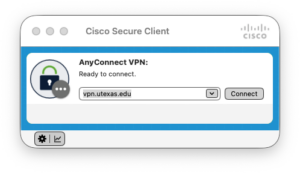
It’s a little dialog box, so the blinding whiteness of it is a minor inconvenience, and only an issue for a brief time. I can’t say the same for the all-white web page that appears between the login screen and the OK, you’re logged-in screen. I avert my eyes, right on cue.
Incident 2
I use Rundown Creator every day, but there are functions I only use when I’m directing. Bottom line: I occasionally have to ask how one accomplishes a very specific task.
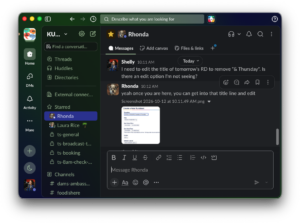
That’s what I did this morning. I had created the rundown for tomorrow’s show, but I wasn’t clear on how to edit the title to add the correct date and day or the week. The answer came back to me in screenshot form, via Slack. And sadly, the screenshot did not respect dark mode, even though Rundown Creator does. The solution is to double-click it in Slack, then invoked ye olde smart invert colors to get a dark appearance version.
